Scenario Editor
The Scenario Editor is Age of Empires III’s construction tool for custom maps and missions. It combines terrain painting, player setup, object placement and trigger scripting, so a creator can build both the battlefield and the rules that govern it. A scenario can use a custom objective sequence or scripted victory condition instead of the standard Skirmish flow.
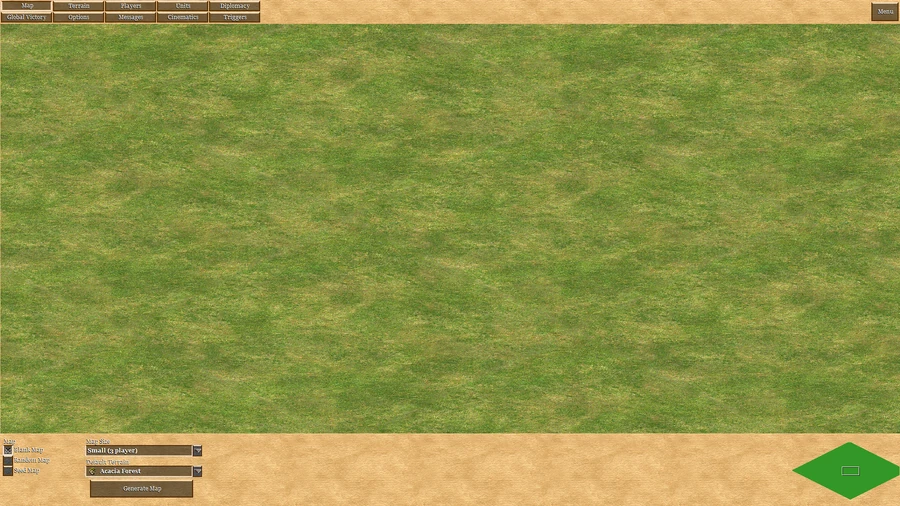
Map and player setup
Start by choosing a map size and player/team setup, then shape terrain and add the required objects. Triggers connect conditions to effects: a timer, unit entering an area or building destruction can activate dialogue, objective changes, ownership changes, reinforcements, resource grants or a victory/defeat result. Test the scenario after arranging triggers because their order and activation settings determine how the mission behaves.
Terrain and object placement
Use the editor when a map needs authored starting positions, mission-specific assets or rules beyond a standard Random Map. When playing a custom scenario, read its objective panel and starting conditions before applying a familiar civilization build order: placed units may be mission targets, scripted characters or scenery, and ownership or production may be controlled by triggers.
Map size, teams and random-map templates
The map controls allow a Normal or Large canvas, player count and team arrangement. A new map begins as a Normal grass canvas unless another setup is chosen. The editor can also generate skirmish-style maps from templates, including Amazonia, Bayou, Caribbean, Carolina, Great Lakes, Great Plains, New England, Pampas, Patagonia, Rockies, Saguenay, Siberia, Sonora, Texas, Unknown, Yucatán and Yukon. A template supplies a starting layout; terrain and object editing can then tailor it to the scenario.
Terrain and player data define the starting conditions
Terrain tools include the terrain types used in campaigns and Skirmishes, allowing the creator to shape movement corridors, clearings and resource areas. Player Data configures each participant’s civilization, starting resources, name, color, AI setting and team number. These choices matter to mission balance: the same placed force can play differently when an opponent is AI-controlled or when a team assignment changes who counts as an ally.
Objects include more than combat units
The Objects tab replaces the older unit-only view. Its filters can show units (including Infantry, Cavalry, Heroes and Navy), buildings (including campaign-specific pieces), visual embellishments such as fire, rain and plants, nature objects such as Native settlements and Trade Routes, everything currently placed, or test objects. Definitive Edition adds a search bar for finding a particular unit. Very large object counts can hurt performance; dense placement is especially demanding when AI-controlled forces are involved.
A trigger combines identity, activation rules, conditions and effects
Each trigger has a name and options controlling whether it is active, runs immediately or loops, plus a priority. Conditions determine when it fires; effects define what happens. For example, a timer can start a reinforcement sequence, while a unit entering a region can reveal a new objective. Designing these pieces separately makes it easier to test a mission and locate a broken step. Triggers can support branching objectives, scripted hero events, custom win/loss rules and multiplayer mini-games.
Test the complete objective sequence
Check the scenario from its intended starting state after changing player data, object placement or trigger logic. Verify that the first objective appears, its conditions can actually be met, and later effects do not activate prematurely or repeat unexpectedly. Keep the object list and trigger logic aligned: destroying a building only works as a condition if the placed object and its ownership match the intended event. These checks help distinguish a deliberate mission rule from an accidental dead end.